
This post presents the early structural development of the urban art mobile app. The focus at this stage is on layout, flow, and user journeys, rather than visual styling. These prototypes helped establish how users move through the app and complete key tasks such as browsing artwork, viewing details, and accessing account features.
Crazy 8 Sketching (Early Ideas)
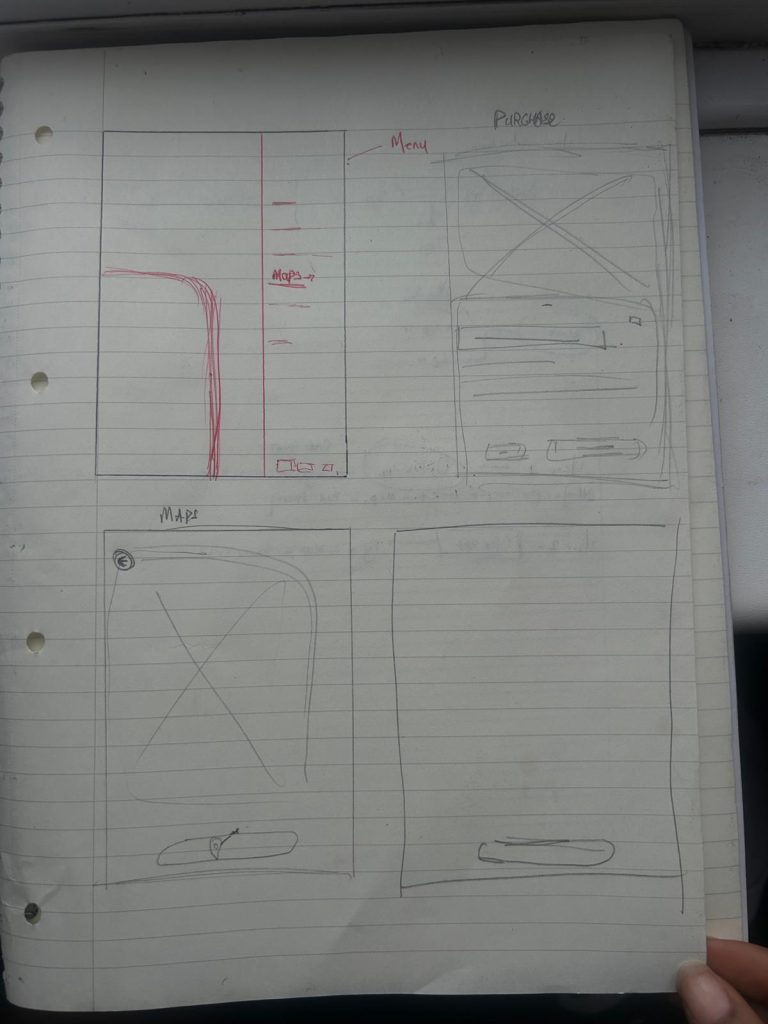
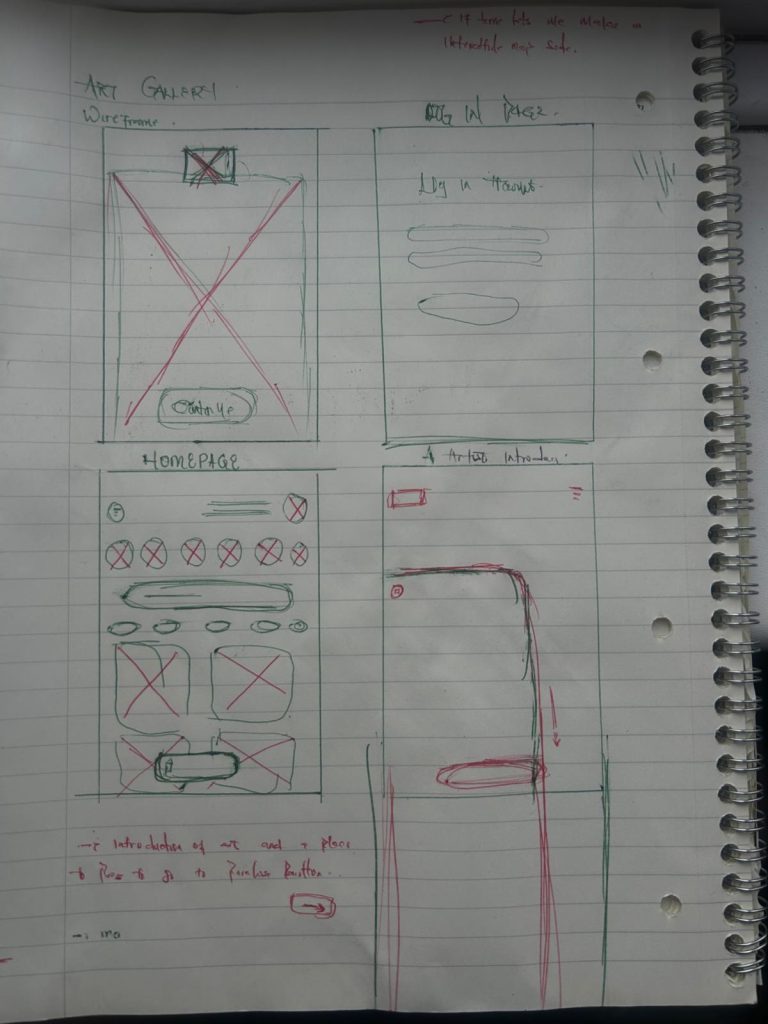
These quick sketches were used to rapidly explore different layout ideas for the home screen, artwork pages, and navigation. The goal was to generate multiple concepts in a short time to identify the strongest structural ideas.
User Flow Overview
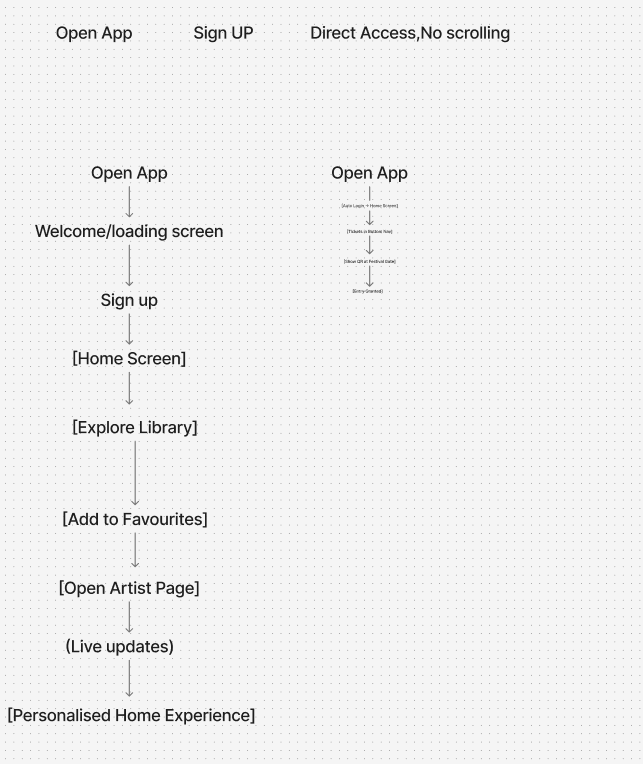
These flows ensure users can quickly access artwork and navigate the app without confusion.
The low-fidelity prototype stage was essential for establishing the structure and usability of the Urban Art mobile app before moving into detailed visual design. At this point in the process, the focus was on layout, navigation, and user flow rather than colour, typography, or branding. The Crazy 8 sketching exercise allowed for rapid idea generation, helping me explore multiple layout possibilities within a short timeframe. This method encouraged experimentation and made it easier to identify which ideas were most effective for supporting the app’s goals.
The low‑fidelity wireframes were built on these sketches by translating the strongest concepts into clearer, more structured layouts. These wireframes prioritised simplicity, using only basic shapes and placeholders to represent content. This approach made it easier to evaluate the clarity of the interface without being distracted by visual styling. Key considerations included the placement of navigation elements, the hierarchy of information, and the ease with which users could move between screens.
User flow was also a major focus at this stage. I mapped out the primary journeys, such as browsing artwork, viewing details, and accessing account features, to ensure that each task could be completed with minimal friction. The wireframes helped reveal areas where navigation needed to be simplified or where additional screens were required to support user needs.
Overall, the low‑fidelity prototype stage provided a strong foundation for the next steps in the design process. It allowed me to test ideas quickly, identify usability issues early, and refine the structure of the app before committing to high-fidelity visuals. This stage ensured that the final design would not only look visually cohesive but also function effectively for users.
